
How to edit personal information and email address
How to edit personal information and email address?
※Note: The surname and first name in the personal information are the unified information of the school and cannot be changed. If you need to change your name or other factors, please write to moodle@cc.nthu.edu.tw or call: #31243, #35107 Miss Wei, thank you.
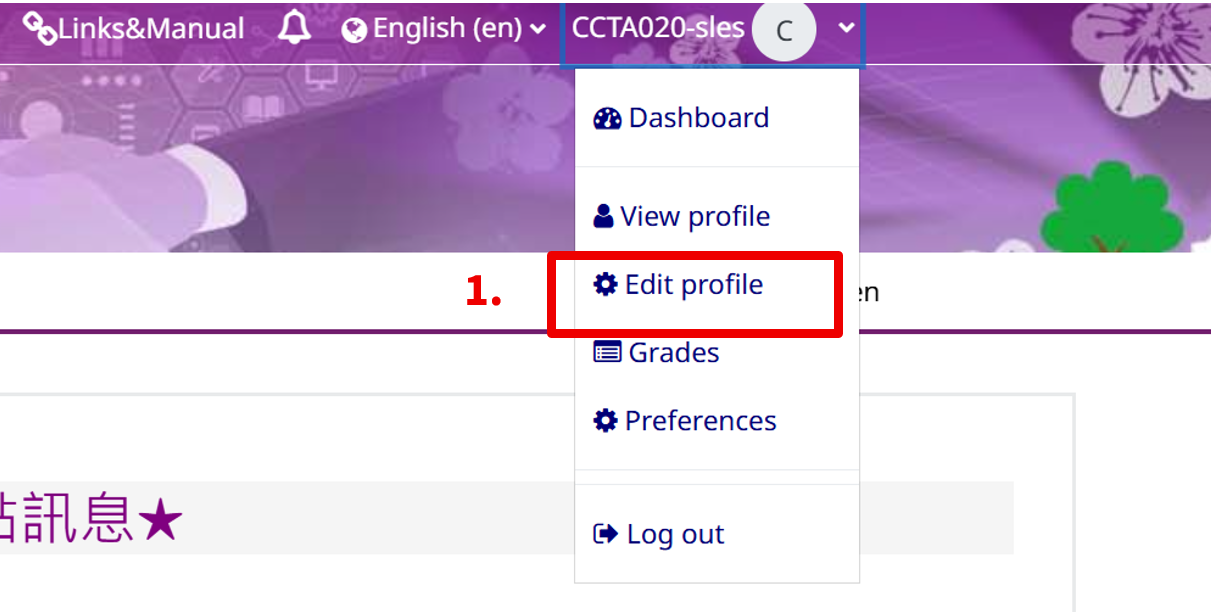
Step 1: Click "Edit Profile" in the name link in the upper right corner.
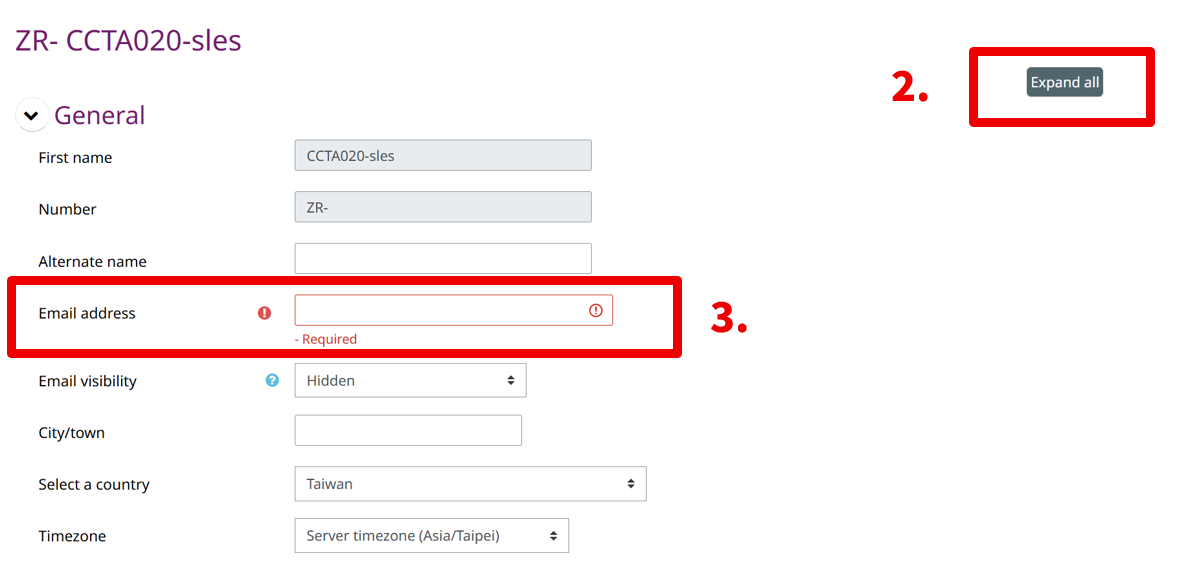
Step 2: You can choose to "Expand all".
Step 3: Please fill in the email correctly. Using the school mail address or a stable mail address with no missing letters is recommended to ensure that important emails are not missed.
Step 4: After the changes are completed, click the "Update profile" button at the bottom, and you're done.

If you encounter any problems, please send an email ( elearn@my.nthu.edu.tw)), or call the campus extension 31243 or 35107, and report the problem directly to the system administrator.
To quickly understand your problem, welcome to use the screenshot and attach the file for us to help you solve the problem.